
For courts and clubs
A schedule board for every court, requests in one inbox, and fewer bookings taken over the phone.
What you get
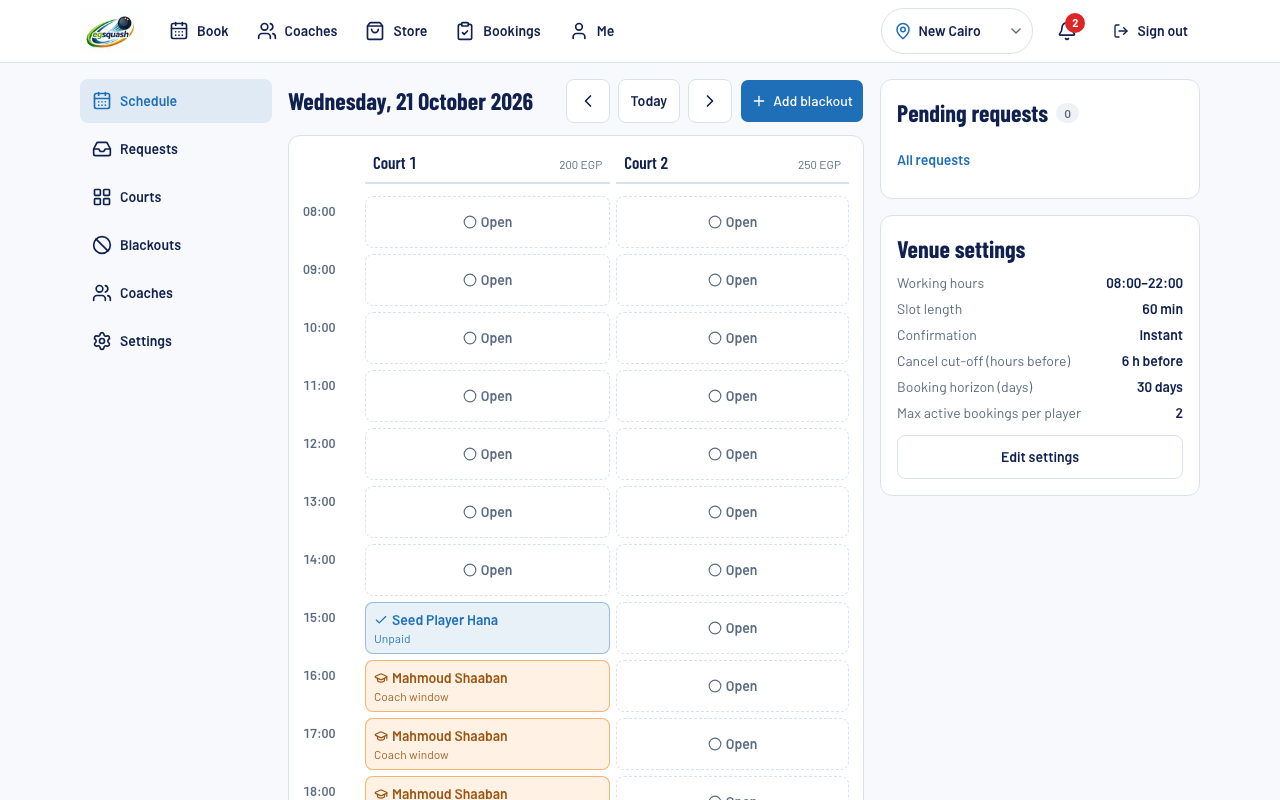
Day board per court
Bookings, blocked periods and coach windows side by side. Open a slot to see who booked it and mark it completed or no-show.
Instant or approval
Choose per venue. Instant confirms an open slot straight away; approval lets you accept or reject each request, and unanswered requests expire.
Blocked periods and prices
Block a court for maintenance, events or private use. Set a price per court; existing bookings keep their price.
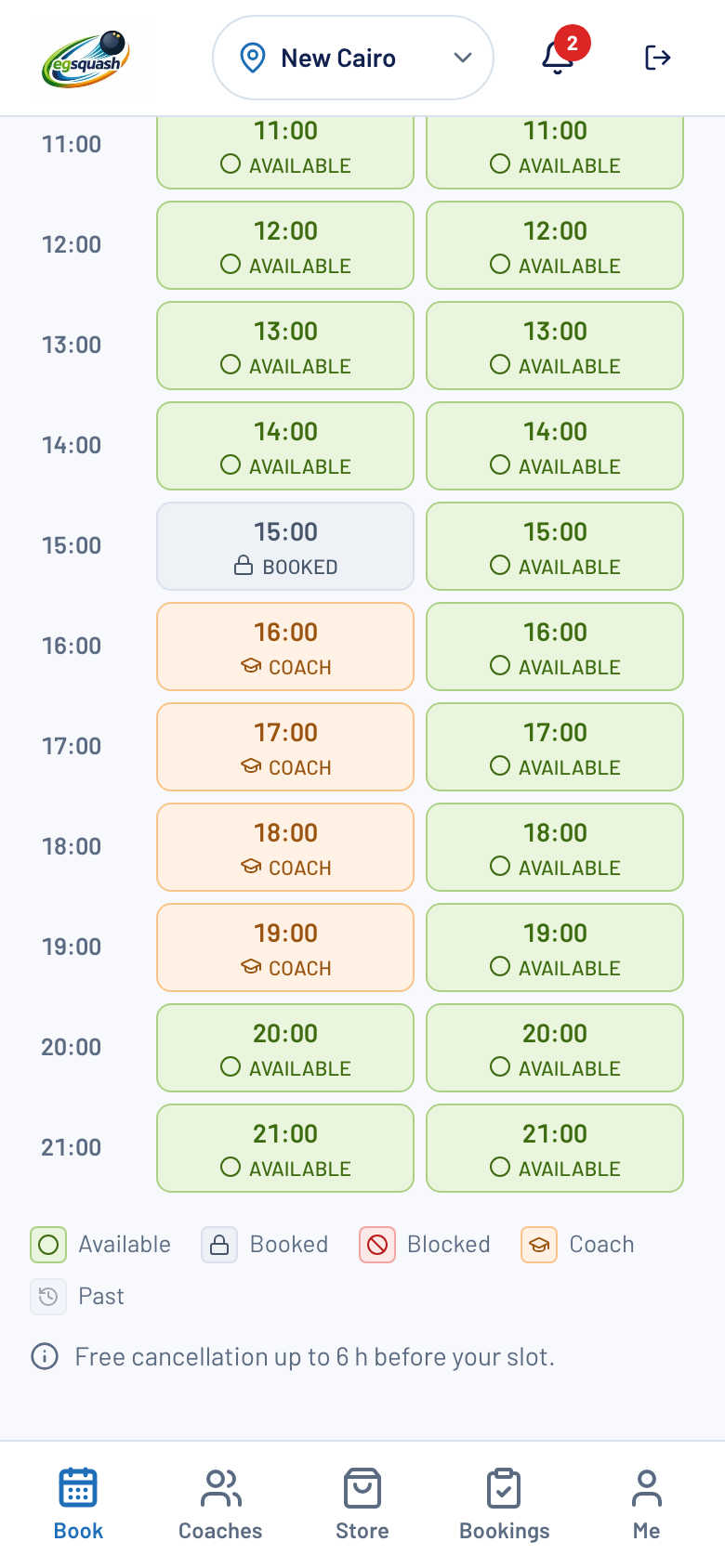
Coach windows
Coaches propose their hours on your courts and you approve them. An approved window blocks the court for normal bookings.
A look inside
Questions
What does it cost?
Listing is free during the launch; any future fees will be announced in advance.
How do prices work?
Each court has its own price per slot. You can change it any time; bookings already made keep the price they were booked at.
Instant or approval?
You choose per venue. Public courts default to instant confirmation and private clubs default to approval. Pending requests hold the slot and expire if unanswered within a window you can adjust.
How are club memberships verified?
Players submit their membership number. Your admin sees pending memberships and approves or rejects them; only approved members can book a private club's courts.
What about no-shows?
After a slot ends you mark it completed or no-show. No-shows are recorded on the player's record and visible to court admins. There is no automatic penalty in this version.
Can coaches block my courts?
Only through a window you approve, or one you create for an affiliated coach. Windows cannot overlap on the same court.
Do you take payment for me?
Online payment is not available yet; players pay at the court, and you mark the booking as paid on site.